How it works
One booking, and four things that have to happen around it.
The booking is the easy part. What follows is where a business loses its evening: the confirming, the chasing, the taking of money, the asking for a review. This is what each of those does here.
01 Book
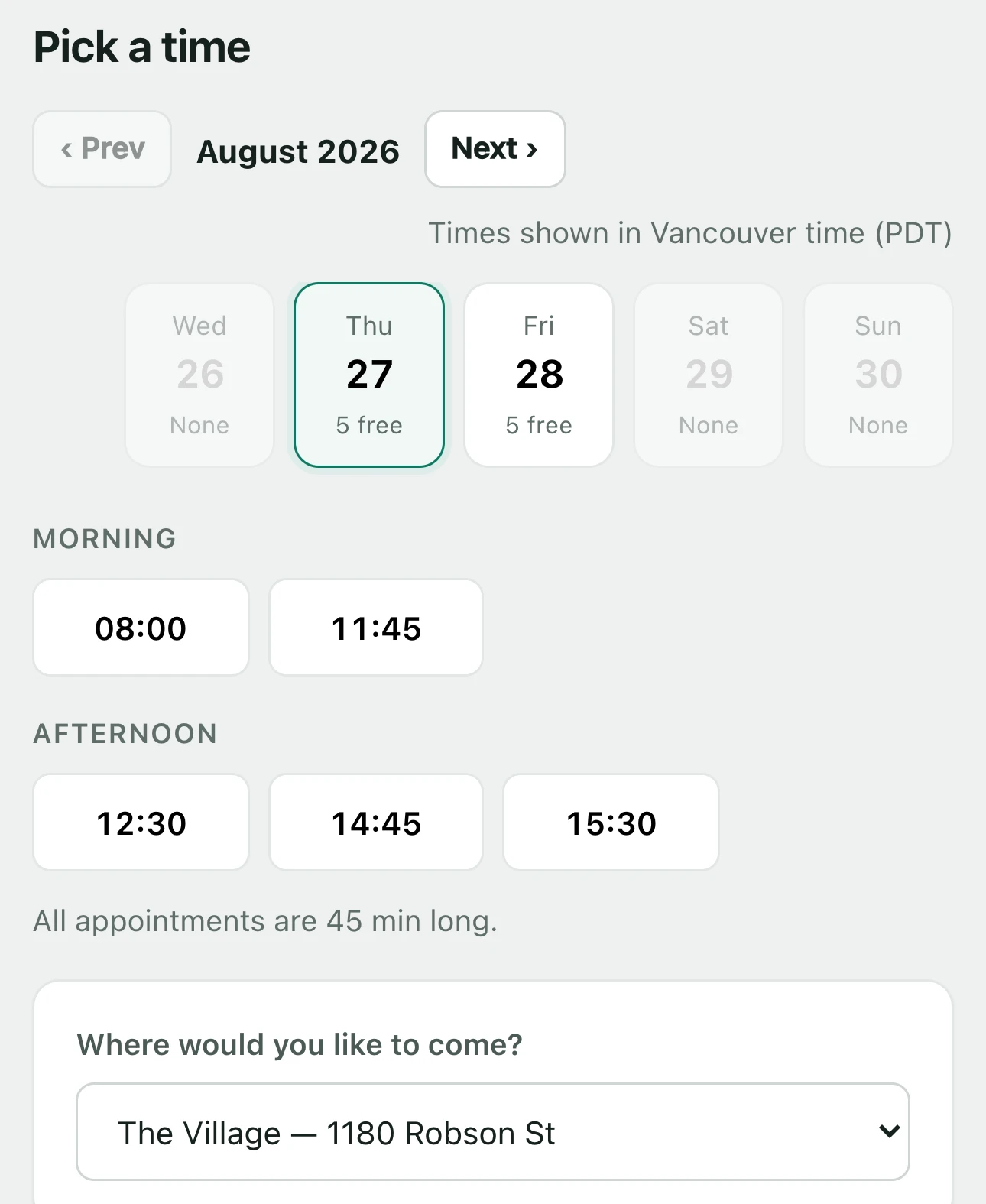
The times it offers are times you can keep.
Anyone can show a calendar. The work is deciding what is genuinely free, and there are five things in the way of that answer.
- The practitioner’s own hours
Each person has their own working hours per location, and their own time off. A slot is only offered if the person you picked is actually there.
- The room, and anything else the service needs
A treatment room, a chair, a piece of equipment. If the service needs one and every one of them is taken, the slot is not free, however free the practitioner is.
- How long the service really runs
Length is per service, not per business, so a 90-minute deep tissue and a 30-minute needling session do not have to pretend to be the same size.
- Who provides what
Services are attached to the people who provide them. A customer who picks acupuncture is never offered the physiotherapist who does not do it.
- Two locations, kept apart
Staff, rooms and hours belong to a location. Booking at one never quietly consumes the other’s capacity.
02 Remind
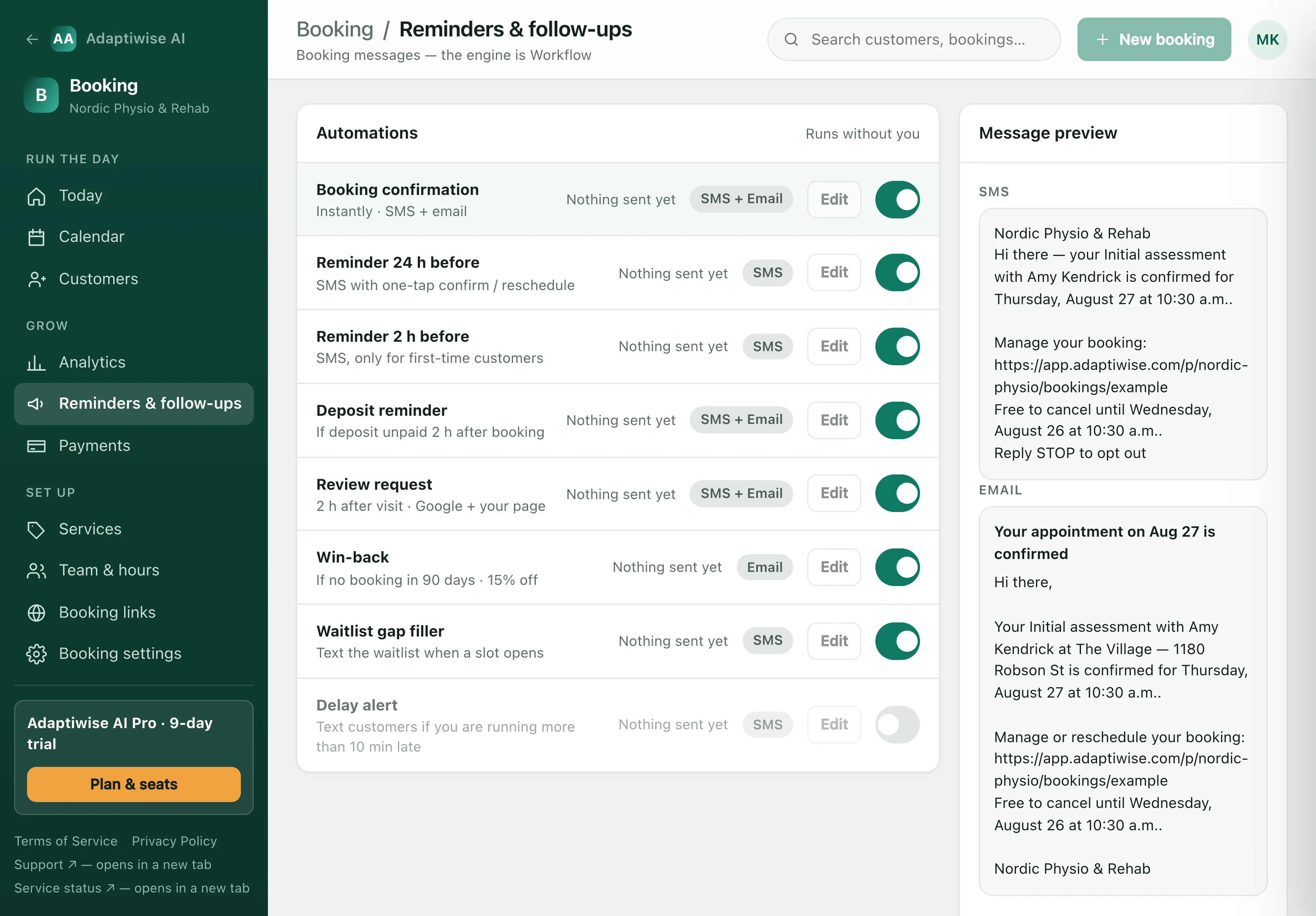
Eight messages, each one a switch.
They are written against the booking, so they carry your business’s name, the practitioner, the service and the time, and a link that reschedules without a phone call. Quiet hours are respected, and a customer who replies STOP is never messaged again.
- Booking confirmation
Instantly, by SMS and email.
- Reminder 24 hours before
By SMS, with one-tap confirm or reschedule.
- Reminder 2 hours before
By SMS, and only for first-time customers, who are the ones who forget.
- Deposit reminder
If a deposit is still unpaid two hours after the booking was made.
- Review request
Two hours after the visit, pointing at Google and at your own page.
- Win-back
By email, if somebody has not booked in ninety days.
- Waitlist gap filler
When a slot opens, the waitlist for that location hears about it.
- Delay alert
If you are running more than ten minutes late. Off by default.
Providers run in sandbox until a business connects a sending domain, a phone number and a payment account. Until then Adaptiwise AI writes and records every message and every charge, and nothing reaches a customer.
03 Pay
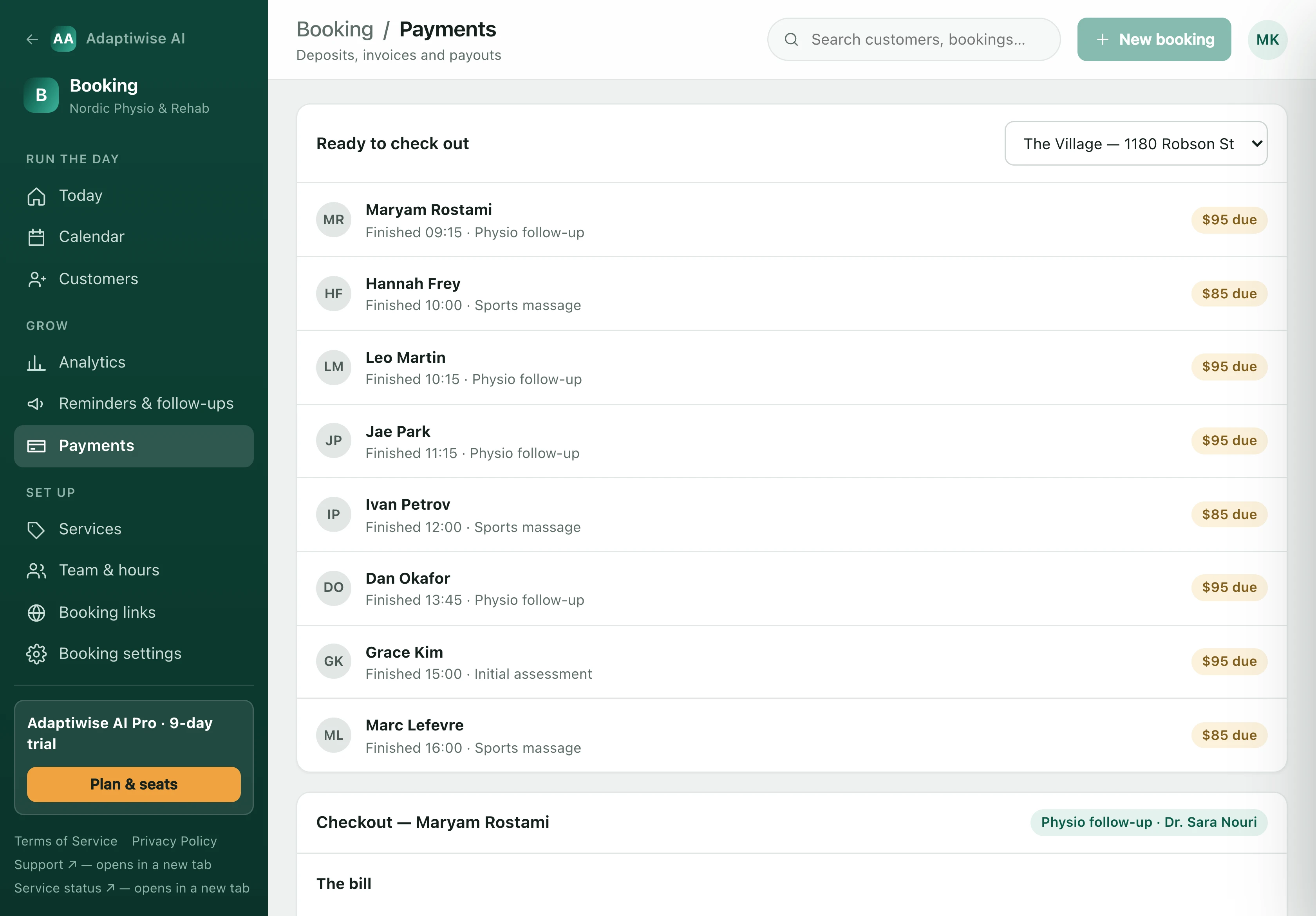
A deposit at the door, or the balance after it.
A deposit can be required per service, so the appointments that hurt when they are missed are the ones that ask for money up front. The cancellation policy quotes your own window and your own fee, as money against the service being booked, before anybody agrees to it.
Cash, transfers and insurance are recorded beside the card, because a clinic that only counts card takings does not know what it earned.
04 Review
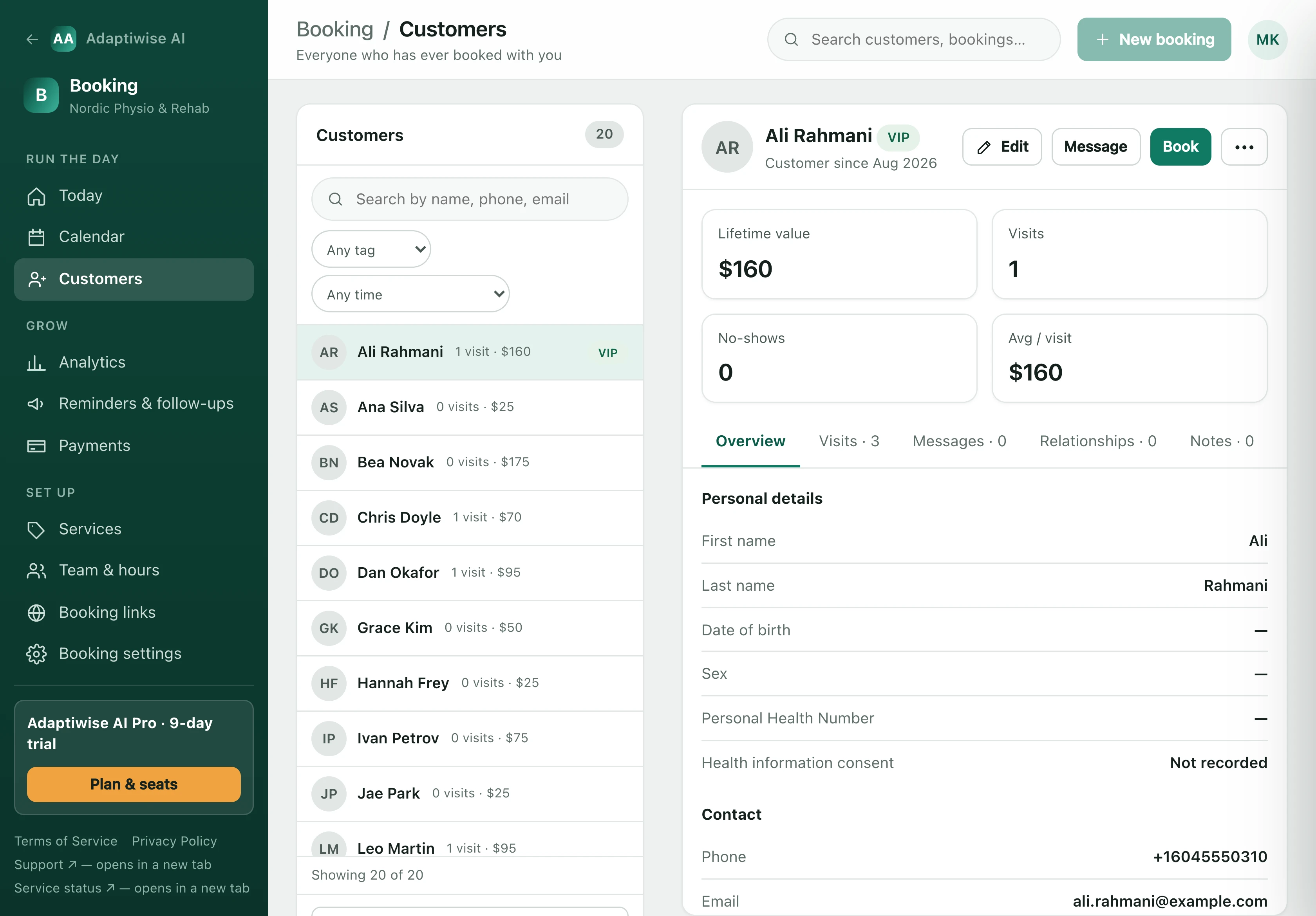
Asked from the record that already knows.
Who came in, who saw them, what they booked, what they paid, what they were told and what they have spent with you since. The request goes out from that, which is why it can be timed to the visit rather than to a spreadsheet.
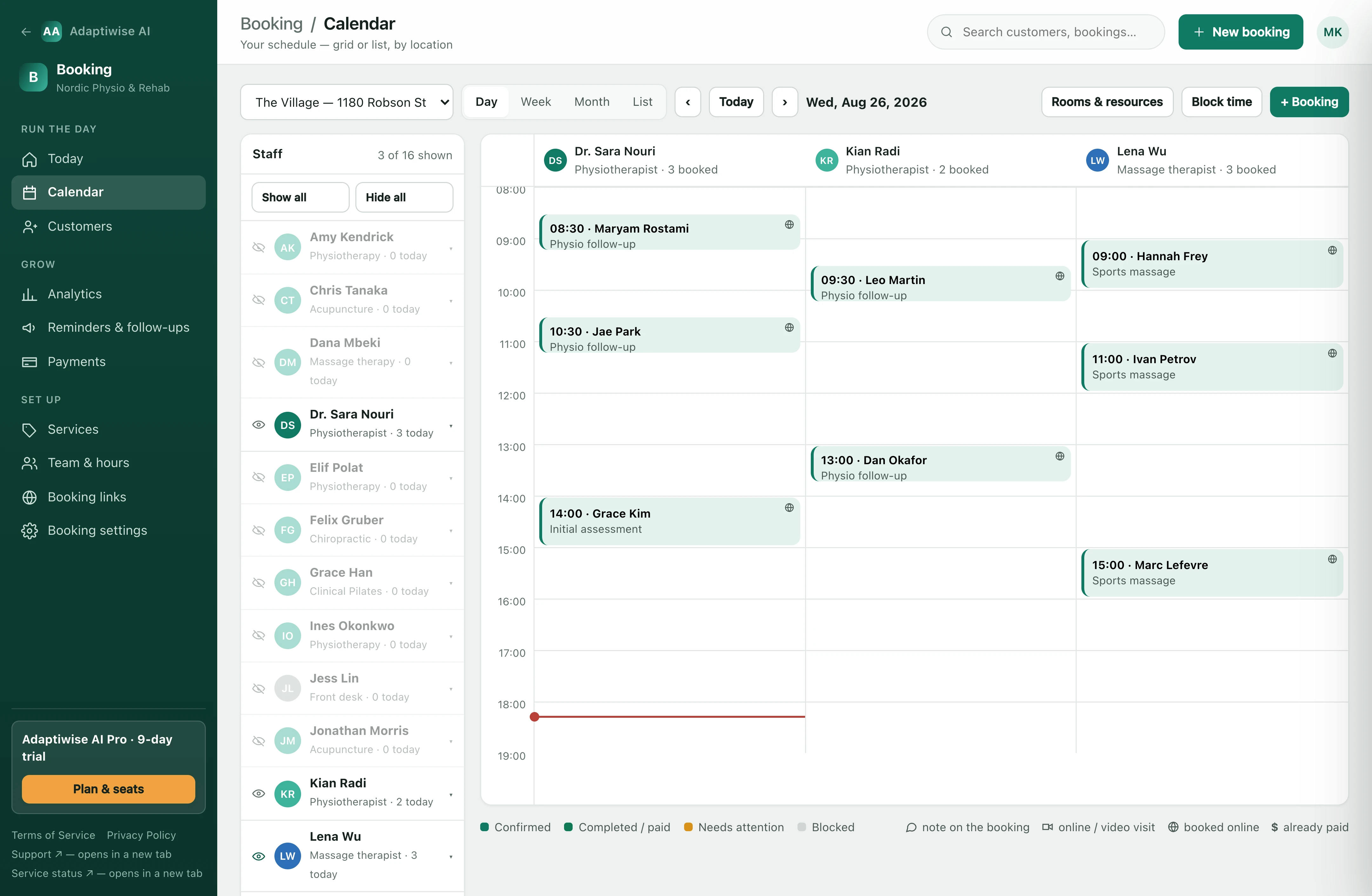
And all of it lands on one calendar.
Day, week, month or list, per location, with each practitioner a column you can hide. Colour is state: confirmed, completed and paid, needs attention, blocked.
See it against your own week.
Half an hour, with your services, your hours and your staff in it. If it does not fit your business, we would rather tell you than sell you.
Book a walkthrough